
Integrate Microsoft Teams with your hosted PBX for a seamless experience
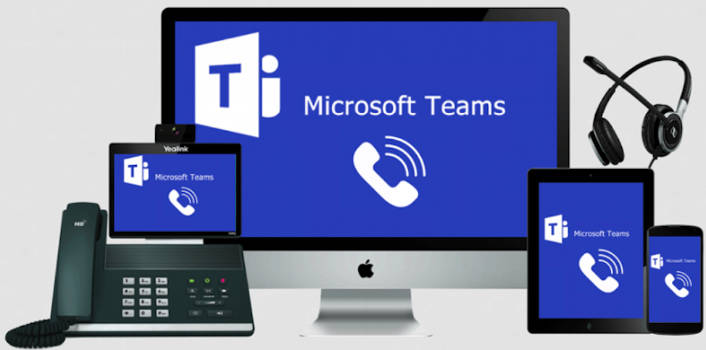
For many businesses, Microsoft Teams has become the centre of day-to-day collaboration. Teams chat, video meetings, file sharing, and internal communication all happen in one familiar workspace.
But there’s still a common disconnect in many organizations: the business phone system lives somewhere else.
Employees collaborate in Teams, then switch to another app for calls, voicemail, SMS, or customer interactions. It may seem manageable at first, but over time the inefficiencies add up — missed messages, duplicated costs, slower response times, and frustrated staff constantly jumping between platforms.
That’s where integrating a Hosted PBX with Microsoft Teams changes the experience entirely.
With Skyway West’s Teams integration solution, businesses can bring enterprise voice services directly into Microsoft Teams, creating a single communications environment for calling, messaging, collaboration, and customer interaction.
The result is simpler workflows, a more professional customer experience, and a communication platform that actually supports how modern teams work.
Why Separate Systems Create Problems
When Teams and your business phone system operate independently, employees are forced to manage communications across multiple platforms.
A customer call comes into the PBX. Internal collaboration happens in Teams. Voicemail is checked somewhere else. SMS messages may live on a mobile device. Employees waste time switching contexts instead of focusing on customers and productivity.
For hybrid and remote teams, the challenge becomes even more noticeable. Staff may rely on personal cell phones for business calls, creating inconsistent caller ID experiences and making communication tracking more difficult for management and IT teams.
Meanwhile, many businesses end up paying for overlapping voice services and unnecessary licensing simply because their systems were never properly integrated.
What PBX Integration with Microsoft Teams Actually Delivers
Integrating your Hosted PBX directly into Teams brings all communication tools into one interface employees already know how to use.
Instead of juggling platforms, users can:
- Make and receive business calls directly in Teams
- Access voicemail and call history from the same workspace
- Send and receive SMS messages
- Transition seamlessly between calls, chats, and video meetings
- Use their business number from desktop, laptop, or mobile devices
For employees, it feels simpler and more natural. For IT teams, it reduces complexity. And for customers, it creates a more responsive and professional experience.
A Better Experience for Remote and Hybrid Work
One of the biggest advantages of Teams PBX integration is consistency.
Whether employees are working from the office, home, or on the road, they still have access to the same business communication tools through Teams. Calls route through the business phone system, not personal mobile numbers, helping maintain professionalism and protecting employee privacy.
Clients continue seeing the company’s business number regardless of where the employee is located, while management maintains visibility into communication activity for reporting, compliance, and customer service purposes.
For organizations supporting hybrid work, this creates a far more unified communication environment without requiring separate softphone applications or complicated VPN setups.
Reducing Licensing Costs and Complexity
A common misconception is that enabling business calling in Microsoft Teams automatically requires expensive Microsoft Calling Plans for every user.
In many cases, that’s simply not necessary.
Using Direct Routing, Skyway West can connect your existing Hosted PBX services directly into Teams, allowing businesses to use enterprise voice features without layering on redundant calling services.
Organizations already using Microsoft 365 E5 licensing may already have the required Phone System functionality included. Other Microsoft 365 users often only require the Teams Phone Standard add-on instead of a full Microsoft Calling Plan.
That means businesses can modernize communications without paying twice for overlapping voice infrastructure.
Why Customer-Facing Teams Benefit Most
The impact becomes especially noticeable for sales teams, customer service staff, and executive support roles.
When calls, chats, meetings, and collaboration tools all exist inside a single platform:
- Customer service teams resolve issues faster
- Sales teams move more naturally between calls and meetings
- Executive assistants can manage communications more efficiently
- Internal collaboration happens in real time during active customer conversations
Instead of placing customers on hold while switching applications or tracking down colleagues, employees can collaborate instantly without interrupting the conversation flow.
The experience feels more connected — both internally and externally.
Modern Communication Shouldn’t Feel Complicated
Most businesses adopted Teams because it simplified collaboration. Integrating your Hosted PBX is the next logical step toward simplifying business communication as a whole.
Rather than maintaining disconnected systems, modern organizations are moving toward unified communication environments that reduce friction, improve responsiveness, and support flexible work from anywhere.
For existing Skyway West UC customers, integrating business voice services into Microsoft Teams can often be enabled using infrastructure already in place — without a disruptive migration or major hardware investment.
Because modern communication shouldn’t require employees to work across two separate worlds just to have one conversation.